Latency Monitor
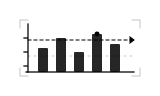
CSSA scrolling histogram of API response times measures request jitter against a technical SLA threshold line.
- Tier
- CSS
- Dependencies
- None
- Duration
- 3.6 s, loops
- Categories
- Icons and micro-interactions, Data and progress
- Use cases
- Errors and warnings, Dashboards and reporting
- Industries
- SaaS and software, Cross-industry
- Style
- Technical · light stroke
- Set
- endpoint
- Tags
- loopbarschartui
Companion assets
The same artwork, not animated. Derived from the entry’s own resting state, so it matches exactly.
Code
animation.svg
<svg xmlns="http://www.w3.org/2000/svg" aria-labelledby="endpoint-latency-title" class="pulsar pulsar-endpoint-latency" data-pulsar="endpoint-latency" role="img" viewBox="0 0 160 96"><title id="endpoint-latency-title">An API response time histogram monitoring latency against an SLA threshold</title><g fill="none" stroke="currentColor" stroke-linecap="square" stroke-width=".75" opacity=".3"><path id="endpoint-latency-datum" d="M20 20h8m-8 0v8m120-8h-8m8 0v8M20 76h8m-8 0v-8m120 8h-8m8 0v-8"></path><line id="endpoint-latency-grid" x1="28" x2="132" y1="56" y2="56" stroke-dasharray="2 4"></line></g><g fill="none" stroke="currentColor" stroke-linecap="square" stroke-width="1.25"><line id="endpoint-latency-axis-x" x1="26" x2="134" y1="72" y2="72"></line><path id="endpoint-latency-axis-y" d="M28 24v48m-4-34h4m-4 14h4m-4 14h4"></path></g><g fill="none" stroke="currentColor" stroke-linecap="square"><line id="endpoint-latency-sla" x1="28" x2="130" y1="40" y2="40" stroke-dasharray="3 3"></line><path id="endpoint-latency-flag" fill="currentColor" d="m130 37 4 3-4 3z"></path></g><g fill="currentColor" opacity=".85"><rect id="endpoint-latency-bar-1" width="10" height="24" x="38" y="48" rx="1"></rect><rect id="endpoint-latency-bar-2" width="10" height="34" x="56" y="38" rx="1"></rect><rect id="endpoint-latency-bar-3" width="10" height="20" x="74" y="52" rx="1"></rect><rect id="endpoint-latency-bar-4" width="10" height="38" x="92" y="34" rx="1"></rect><rect id="endpoint-latency-bar-5" width="10" height="28" x="110" y="44" rx="1"></rect></g><circle id="endpoint-latency-beacon" cx="97" cy="34" r="2.5" fill="currentColor"></circle></svg>
animation.css
.pulsar-endpoint-latency #endpoint-latency-bar-1,
.pulsar-endpoint-latency #endpoint-latency-bar-2,
.pulsar-endpoint-latency #endpoint-latency-bar-3,
.pulsar-endpoint-latency #endpoint-latency-bar-4,
.pulsar-endpoint-latency #endpoint-latency-bar-5,
.pulsar-endpoint-latency #endpoint-latency-sla,
.pulsar-endpoint-latency #endpoint-latency-beacon {
  transform-box: fill-box;
  animation-duration: 3600ms;
  animation-delay: 0ms;
  animation-iteration-count: infinite;
  animation-fill-mode: both;
}

.pulsar-endpoint-latency #endpoint-latency-bar-1,
.pulsar-endpoint-latency #endpoint-latency-bar-3,
.pulsar-endpoint-latency #endpoint-latency-bar-5 {
  fill: currentColor;
  opacity: 0.5;
  transform-origin: center bottom;
  animation-timing-function: cubic-bezier(0.4, 0, 0.2, 1);
}

.pulsar-endpoint-latency #endpoint-latency-bar-2,
.pulsar-endpoint-latency #endpoint-latency-bar-4 {
  fill: var(--pulsar-accent, currentColor);
  transform-origin: center bottom;
  animation-timing-function: cubic-bezier(0.4, 0, 0.2, 1);
}

.pulsar-endpoint-latency #endpoint-latency-bar-1 {
  animation-name: endpoint-latency-b1;
}
.pulsar-endpoint-latency #endpoint-latency-bar-2 {
  animation-name: endpoint-latency-b2;
}
.pulsar-endpoint-latency #endpoint-latency-bar-3 {
  animation-name: endpoint-latency-b3;
}
.pulsar-endpoint-latency #endpoint-latency-bar-4 {
  animation-name: endpoint-latency-b4;
}
.pulsar-endpoint-latency #endpoint-latency-bar-5 {
  animation-name: endpoint-latency-b5;
}

.pulsar-endpoint-latency #endpoint-latency-sla {
  stroke: var(--pulsar-accent, currentColor);
  animation-name: endpoint-latency-sla;
  animation-timing-function: ease-in-out;
}

.pulsar-endpoint-latency #endpoint-latency-beacon {
  fill: var(--pulsar-accent, currentColor);
  transform-origin: center;
  animation-name: endpoint-latency-beacon;
  animation-timing-function: cubic-bezier(0.22, 1, 0.36, 1);
}

@keyframes endpoint-latency-b1 {
  0%,
  100% {
    transform: scaleY(1);
  }
  50% {
    transform: scaleY(0.7);
  }
}

@keyframes endpoint-latency-b2 {
  0%,
  100% {
    transform: scaleY(1);
  }
  45% {
    transform: scaleY(1.18);
  }
}

@keyframes endpoint-latency-b3 {
  0%,
  100% {
    transform: scaleY(1);
  }
  55% {
    transform: scaleY(1.3);
  }
}

@keyframes endpoint-latency-b4 {
  0%,
  100% {
    transform: scaleY(1);
  }
  40% {
    transform: scaleY(0.85);
  }
  75% {
    transform: scaleY(1.12);
  }
}

@keyframes endpoint-latency-b5 {
  0%,
  100% {
    transform: scaleY(1);
  }
  60% {
    transform: scaleY(0.75);
  }
}

@keyframes endpoint-latency-sla {
  0%,
  100% {
    opacity: 0.6;
  }
  50% {
    opacity: 1;
  }
}

@keyframes endpoint-latency-beacon {
  0%,
  100% {
    transform: scale(1);
    opacity: 0.8;
  }
  40% {
    transform: scale(0.8);
    opacity: 0.6;
  }
  75% {
    transform: scale(1.4);
    opacity: 1;
  }
}

@media (prefers-reduced-motion: reduce) {
  .pulsar-endpoint-latency * {
    animation: none !important;
    transform: none;
  }
}